Search for POS devices by ID or serial number, or using filters.
The Search POS page lists of all point-of-sale (POS) devices associated with merchant groups, merchants, and sites that you have access to. Each row represents a unique POS device and contains core device data.
You can search by ID or serial number or use filters to narrow down your results.
Access to PXP's Search POS page is tied to a user's permissions. Certain roles have full access, while others have either limited access or no access at all.
To access the page, go to the Unity Portal and click Terminal admin > Search POS. You'll see a paginated, sortable list of all POS devices.
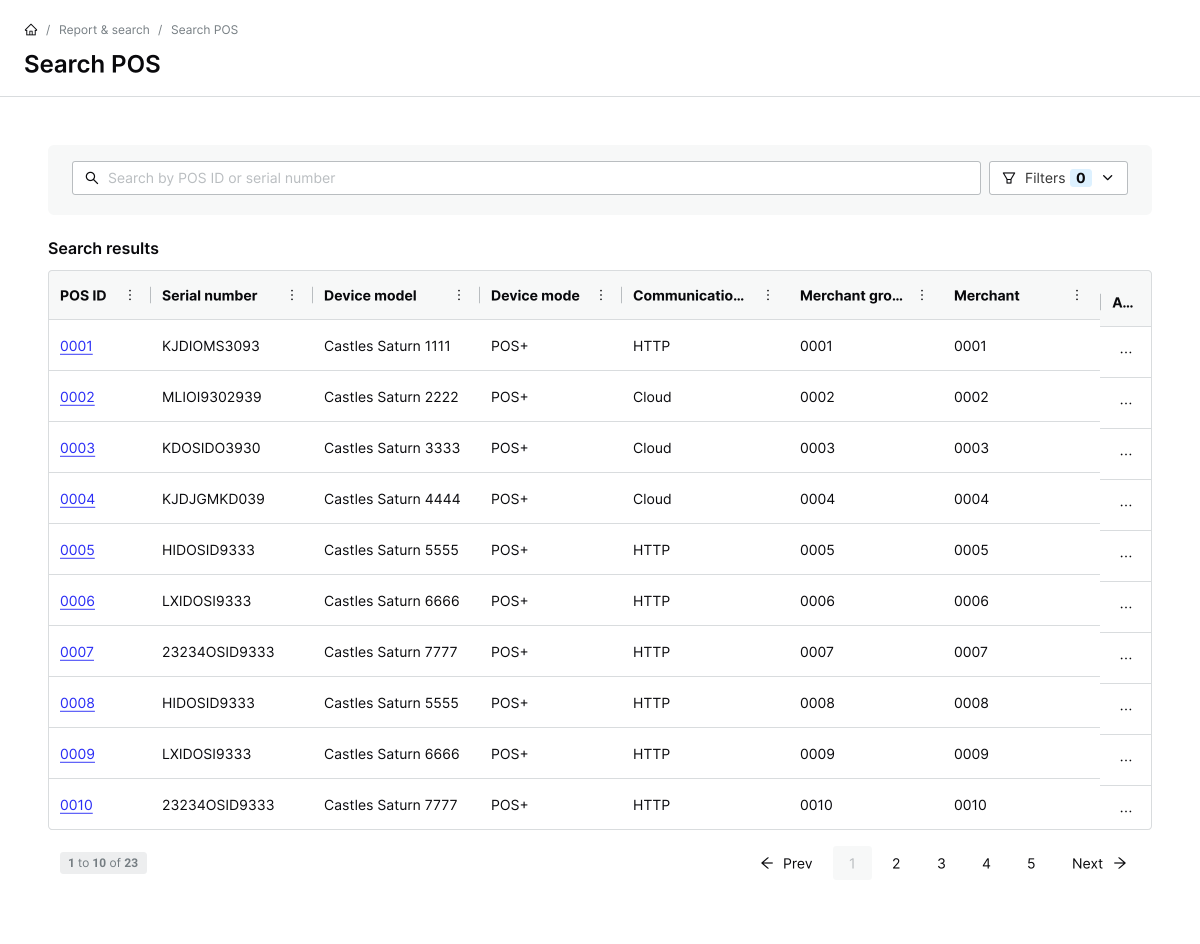
From here, you can search in two ways:
- By ID or serial number: Start typing a POS ID or serial number. The Search results update as you type.
- Using filters: Use the drop-downs to filter by device characteristics. You can combine multiple filters and select multiple options per filter.
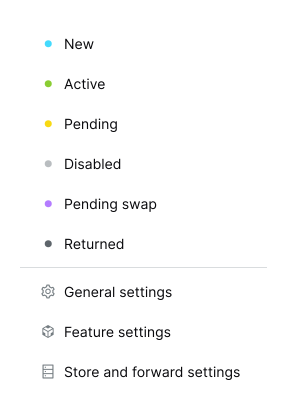
You can also open a device's settings or change its status by clicking the horizontal dots icon ( ) in the Action column.
By default, longer fields are partially truncated to better fit on your screen. If you'd like to view the full field, you can access the autosize function by clicking on the vertical dots ( ). Autosizing can be applied either to a column (e.g., Serial number) or the entire table. Note that this will lead to increased horizontal scrolling.
The results table shows these columns for each POS device by default:
| Name | Description |
|---|---|
| POS id | The unique identifier of the device. |
| Serial number | The serial number of the device. |
| Device model | The model of the device. |
| Device mode | The mode of the device. |
| Communication protocol | The communication protocol of the device. |
| Cloud status | The cloud status of the device. |
| Merchant group | The merchant group that the device belongs to. |
| Merchant | The merchant that the device belongs to. |
| Site | The site that the device belongs to. |
| Status | The status of a device. |
You can refine the device list with organisation filters and POS device filters. Each filter supports multiple selections, and you can combine filters from both groups.
Use the Organization filters to limit results to specific parts of your merchant hierarchy:
| Name | Description |
|---|---|
| Merchant groups | The merchant group(s) associated with the POS device. |
| Merchants | The merchant(s) associated with the POS device. |
| Sites | The site(s) associated with the POS device. |
Use the POS device filters to limit results by how the terminal is configured and run:
| Name | Description |
|---|---|
| Device modes | The device mode. Possible values:
|
| Device models | The device model. Possible values:
|
| Statuses | The status of the device. Possible values:
|
| Communication protocols | The communication protocol used by the device. Possible values:
|